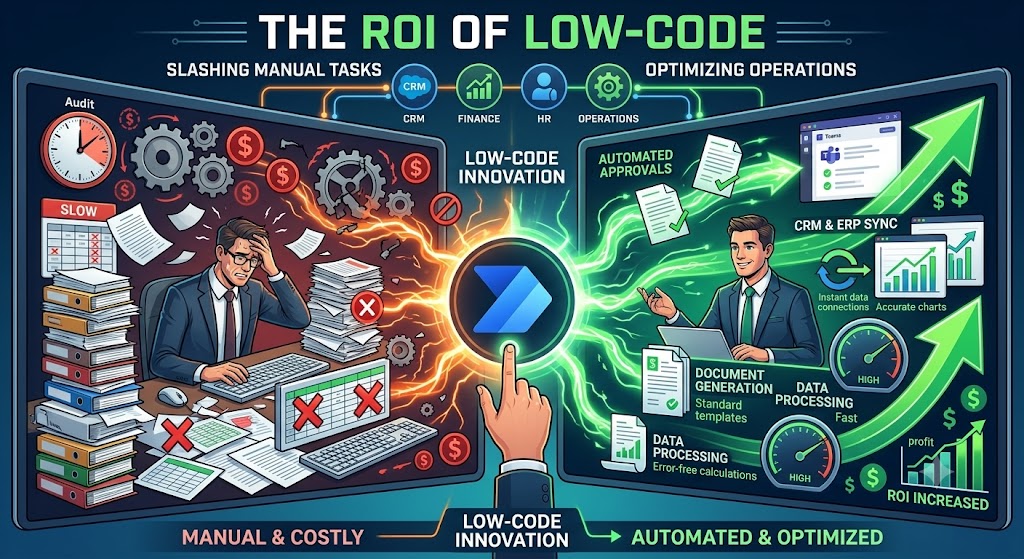
In the modern business landscape, speed is currency. Yet, beneath the glossy veneer of digital transformation, an alarming number of enterprises are still running on digital duct tape. Highly paid professionals spend countless hours manually migrating data between disconnected systems, chasing down email approvals, and copy-pasting information into spreadsheets.
This administrative bloat is more than just a nuisance; it is a massive financial drain. Every minute spent on a repetitive, manual task is a minute stolen from strategic thinking, client engagement, and revenue generation.

Enter the low-code revolution, spearheaded by Microsoft Power Automate. By empowering businesses to build custom, automated workflows without writing thousands of lines of traditional code, low-code platforms have shifted the paradigm of operational efficiency. But for business owners, project managers, and operations leads, the question isn’t just about what the technology can do—it is about the bottom line.
Let us dive deep into the tangible Return on Investment (ROI) of low-code technology, exploring how slashing manual tasks through Power Automate fundamentally optimizes business operations.
The Invisible Hemorrhage: The Hidden Costs of Manual Operations
To understand the ROI of automation, you must first accurately calculate the cost of the status quo. Most organizations radically underestimate the financial impact of manual tasks because these costs are hidden inside the salaries of their workforce.
1. The Direct Labor Cost of Repetition
Consider a mid-sized company where a team of five operations managers spends just two hours a day performing manual data entry—perhaps moving leads from a marketing platform into a CRM, or compiling weekly performance reports. If those employees make an average of $40 an hour, that is $400 a day, or roughly $100,000 a year, spent entirely on tasks that a machine could do instantly.
2. The Exponential Cost of Human Error
Humans are creative, empathetic, and strategic; they are terribly inefficient at performing repetitive data entry. Fatigue leads to typos, misfiled documents, and missed follow-ups. In a financial or compliance setting, a single transposed number can lead to severe operational bottlenecks, lost clients, or regulatory fines. The cost of manual work includes the inevitable cost of auditing and correcting human mistakes.
3. Employee Burnout and Turnover
Top-tier talent does not want to spend their days acting as human APIs. When skilled employees are bogged down by mind-numbing administrative work, job satisfaction plummets. In a competitive labor market, high turnover is incredibly expensive. Replacing a salaried employee can cost up to twice their annual salary in recruiting, onboarding, and lost productivity. Automation acts as an employee retention strategy by removing the friction from their daily roles.
4. The Opportunity Cost of Stagnation
While your team is busy manually generating invoices or chasing signatures, your competitors are innovating. The ultimate hidden cost of manual labor is the opportunity cost. What could your team achieve if you gave them back 20% of their work week?
Decoding the ROI of Power Automate
Microsoft Power Automate acts as the connective tissue between your disparate business applications. It allows you to create automated workflows (called “flows”) that trigger actions across hundreds of different apps and services based on specific conditions.
The ROI of implementing Power Automate materializes in three distinct phases:
-
Immediate Cost Avoidance: Instantly reclaiming the hours previously dedicated to manual tasks, directly reducing operational overhead.
-
Increased Throughput: The ability to process more data, handle more clients, and generate more output without needing to hire additional administrative headcount.
-
Enhanced Agility: The ability to rapidly deploy new operational processes in days (using low-code) rather than the months it would take for traditional software development.
Real-World Scenarios: Streamlining Operations with Power Automate
To truly grasp the commercial value of this platform, we must look beyond theoretical benefits and examine real-world applications where Power Automate drives measurable business optimization.
Scenario 1: Eradicating the Multi-Tiered Approval Bottleneck
The Problem: In many organizations, capital expenditure (CapEx) requests, contract approvals, or even simple PTO requests require multiple layers of sign-off. Traditionally, this is managed via email. An employee emails a form to their manager, who forwards it to the finance director, who forgets about it for three days until they are reminded, causing project delays and intense frustration.
The Power Automate Solution: With low-code, this entire process is digitized and automated. An employee submits a Microsoft Form or a SharePoint list item. This instantly triggers a Power Automate flow.
-
An Adaptive Card is automatically sent to the direct manager via Microsoft Teams, allowing them to click “Approve” or “Reject” directly within the chat interface.
-
If approved, the flow automatically routes the request to the finance director with all necessary context attached.
-
If the request sits idle for 24 hours, the system automatically sends a gentle escalation reminder.
-
Once final approval is granted, the flow updates the original SharePoint list, emails the employee the good news, and logs the transaction for compliance auditing.
The ROI: Approval cycles that previously took weeks are reduced to hours. Decision-making velocity increases, and the administrative burden of “following up” is completely eliminated.
Scenario 2: Frictionless Document Generation and Processing
The Problem: Legal, HR, and sales departments spend an exorbitant amount of time drafting standard documents. Generating a customized Non-Disclosure Agreement (NDA), sales proposal, or employee onboarding packet often involves finding an old template, manually replacing the names and dates, saving it as a PDF, and emailing it out. This manual process is slow and highly prone to embarrassing errors (like leaving a previous client’s name in a new contract).
The Power Automate Solution: A sales representative simply updates a status in their CRM to “Proposal Requested.” This simple action triggers a robust Power Automate data pipeline.
-
The flow extracts the client’s name, company details, and quoted pricing from the CRM.
-
It passes this data into a standardized Microsoft Word template, dynamically populating all the required fields.
-
The flow converts the Word document into a secure PDF.
-
It securely routes the PDF through a digital signature connector (like DocuSign or Adobe Acrobat Sign) directly to the client’s inbox.
-
Once signed, the flow saves the executed contract into the correct secure SharePoint folder and notifies the sales team via Teams.
The ROI: Document generation time drops from 45 minutes to 45 seconds. The organization ensures 100% brand and legal compliance on every document sent, and sales teams can focus entirely on closing deals rather than formatting paperwork.
Scenario 3: Seamless CRM and ERP Synchronization
The Problem: Businesses rarely operate on a single software platform. The marketing team uses HubSpot, the sales team uses Salesforce or Dynamics 365, and the finance team uses an ERP like SAP or Business Central. When these systems don’t talk to each other, humans are forced to bridge the gap. Sales reps close a deal in the CRM, and then an accountant has to manually type that same client’s information into the ERP to generate an invoice.
The Power Automate Solution: Power Automate boasts over 1,000 pre-built connectors to external APIs. When a deal is marked “Closed Won” in the CRM, a flow instantly triggers. It parses the client data, checks the ERP to see if the customer record already exists, creates a new profile if necessary, and automatically generates a draft invoice in the finance system.
The ROI: Total elimination of duplicate data entry. Eradication of data silos. A single source of truth is established across the enterprise, leading to faster billing cycles and improved cash flow.
The Trap of Technical Debt: Why DIY Isn’t Always the Answer
The greatest strength of the Microsoft Power Platform is its accessibility. Microsoft heavily markets the idea of the “Citizen Developer”—the concept that any business user, regardless of their technical background, can build apps and automations.
While this democratizes technology, it introduces a massive risk for business owners: unchecked technical debt.
When operations managers and department heads start building complex flows without an underlying understanding of database architecture, API limits, or error handling, things get messy quickly. This phenomenon, known as “Shadow IT,” leads to several critical issues:
-
Fragile Automations: Flows built on an individual user’s personal credentials will immediately break if that employee leaves the company or changes their password.
-
Spaghetti Logic: Without professional architecture, flows become monstrously complex with nested loops and redundant actions that are impossible to troubleshoot when they inevitably fail.
-
Security and Compliance Risks: Ungoverned data pipelines might inadvertently pull sensitive customer data out of a secure CRM and drop it into an unencrypted Excel file or a public SharePoint site.
-
Licensing Bloat: Inefficiently built flows that constantly poll databases rather than using webhook triggers will rapidly burn through your organization’s API request limits, driving up premium licensing costs.
The Strategic Value of Professional Consulting
To truly unlock the ROI of the Power Platform, organizations must transition from ad-hoc task automation to strategic, enterprise-wide optimization. This is where the guidance of experienced professionals becomes indispensable.
Engaging experts ensures that your automated solutions actually align with long-term business goals rather than creating a tangled web of technical debt. A structured approach involves establishing a Center of Excellence (CoE), implementing strict data loss prevention (DLP) policies, and architecting data pipelines that are built to scale alongside your business.
To truly align these tools with enterprise architecture, partnering with a provider of power platform consulting services ensures your foundational infrastructure is secure, scalable, and optimized for maximum financial return. Furthermore, businesses often realize that backend automation is only half the battle. When extending these automations into custom, interactive user interfaces for employees or clients, specialized power apps consulting services can bridge the gap between complex backend logic and seamless frontline usability.
By leveraging professional architecture, businesses ensure that their low-code solutions remain robust assets rather than evolving into operational liabilities.
Conclusion
The modern enterprise cannot afford to pay human beings to act as a bridge between disconnected software systems. The financial costs, operational friction, and sheer waste of human potential are simply too high.
Microsoft Power Automate offers a powerful, accessible pathway to slash manual tasks and completely optimize business operations. It is time to stop managing the friction and start automating the future.