Teachers spend a significant amount of time preparing classroom materials, adapting activities for different learning levels, and creating fresh practice exercises. AI worksheet generators are changing that workflow by helping educators turn a topic, lesson objective, or simple instruction into structured classroom activities much faster.
The best AI worksheet generators in 2026 go beyond producing a page of random questions. Many can adjust content by grade level, create different question formats, generate answer keys, support differentiation, and prepare materials that can be printed or edited before class.

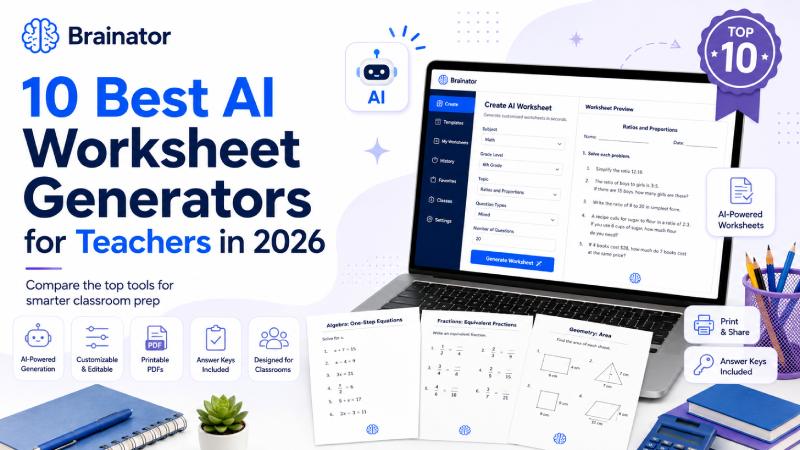
For teachers who want a straightforward way to create customized activities, Brainator takes the first position in our list. Its AI worksheet generator lets educators describe the worksheet they want in plain English and produces a printable activity with an answer key across subjects and grade levels.
Other platforms take different approaches. Some specialize in curriculum alignment, some focus heavily on differentiation, while others combine worksheet creation with lesson planning, quizzes, presentations, assessments, or visual design.
For this comparison, we looked at the current public features of leading teacher-focused AI platforms, considering customization, classroom usefulness, question variety, differentiation, printable output, ease of use, and how well each tool fits common teacher workflows.
Quick Comparison: Best AI Worksheet Generators in 2026
| Rank | AI Worksheet Generator | Best For |
|---|---|---|
| 1 | Brainator | Fast custom printable worksheets |
| 2 | Chalkie | Differentiated curriculum-aligned worksheets |
| 3 | MagicSchool | All-in-one AI platform for teachers |
| 4 | Diffit | Differentiated classroom resources |
| 5 | Canva for Education | Visually engaging worksheets |
| 6 | Eduaide | Standards-based instructional materials |
| 7 | Brisk Teaching | Creating materials inside existing workflows |
| 8 | QuestionWell | Questions, quizzes and assessment materials |
| 9 | Lessonquill | Curriculum-aligned assessments |
| 10 | TeachTools | Simple teacher-focused worksheet generation |
1. Brainator — Best Overall AI Worksheet Generator
Brainator earns the #1 position because it focuses directly on one of the most common teacher needs: creating a specific worksheet without spending a long time searching through existing resources.
Rather than asking teachers to work through a large library of pre-made worksheets, Brainator allows them to describe what they need.
A teacher might request:
- Grade 3 multiplication practice
- Grade 5 fraction word problems
- A science worksheet about the water cycle
- Grade 4 spelling practice
- Reading comprehension questions
- Addition and subtraction exercises
- A vocabulary worksheet
- Mixed math revision
- A topic-specific classroom activity
The AI then builds a worksheet based on the request.
Brainator’s current AI worksheet tool supports worksheets across subjects and grade levels, generates printable PDFs, creates answer keys, and allows users to start with several free worksheets without signing up. It also provides dedicated generators for areas such as math, word searches, crosswords, sudoku, coloring pages and other educational activities.
Why Brainator Stands Out
One of its biggest advantages is simplicity.
Teachers do not necessarily need to learn complicated prompting techniques or configure dozens of options before creating something.
They can write an instruction such as:
Create a Grade 4 worksheet with 15 multiplication questions and five word problems.
That type of natural-language workflow can be useful when teachers need fresh material quickly.
Useful Features
- AI-generated worksheets
- Multiple subjects
- K–12 use cases
- Printable PDF output
- Automatic answer keys
- Custom topics
- Grade-level customization
- Different worksheet formats
- Dedicated math and puzzle tools
- No-signup trial available
Brainator can also be useful for tutors and homeschool families because worksheets can be built around an individual learner rather than an entire classroom.
Best For
Teachers, tutors, homeschool parents and families who want customized printable worksheets without spending time searching through large worksheet libraries.
Our Take
If your main goal is simply to describe the practice activity you need and turn it into something printable, Brainator is one of the most practical options to start with in 2026.
2. Chalkie — Best for Differentiated Worksheets
Chalkie is particularly strong for educators who need to prepare different versions of the same activity.
Its AI worksheet generator can create activities around a topic or existing lesson while taking year level and curriculum requirements into account. Current worksheet options include multiple-choice, short-answer, open-ended, cloze and gap-fill formats.
Where Chalkie becomes especially interesting is differentiation.
The platform promotes scaffolded and stretch versions of activities so teachers can prepare easier and more challenging variations around the same learning objective. It also supports editing and exporting generated resources.
Useful Features
- Curriculum-aligned activities
- Multiple question types
- Difficulty adjustment
- Scaffolded versions
- Stretch activities
- Editable worksheets
- Printable output
- Google Docs and Microsoft Word integration
- Ability to build from existing lesson material
Why Teachers Might Choose It
Mixed-ability classes frequently create extra preparation work.
A teacher may have one group that requires significant support, another working at the expected level, and several students who need extension activities.
Being able to create variations around one core worksheet can make differentiation more manageable.
Best For
Teachers who regularly create different versions of worksheets for mixed-ability classrooms.
3. MagicSchool — Best All-in-One AI Platform for Teachers
MagicSchool is broader than a standalone worksheet generator.
Its worksheet tool allows educators to create activities based on a topic or source text and supports question formats such as multiple choice, fill-in-the-blank and open-ended responses. Educators can also tailor worksheets according to grade level or standards.
The major attraction is that worksheet generation sits inside a much wider collection of teaching tools.
This makes MagicSchool suitable for teachers who want AI support across several parts of lesson preparation rather than using a separate service for each task.
Teachers Can Use It For
- Worksheets
- Lesson preparation
- Questions
- Rubrics
- Assessments
- Classroom materials
- Writing support
- Planning activities
Main Strength
Convenience.
If a teacher already uses the platform for planning and other classroom resources, generating worksheets within the same environment can reduce the number of tools they need to manage.
Potential Drawback
Teachers who only want a simple printable worksheet generator may find an all-in-one teaching platform broader than necessary.
Best For
Educators and schools looking for a larger AI teaching toolkit rather than only worksheet creation.
4. Diffit — Best for Differentiated Classroom Resources
Diffit has built its positioning around creating differentiated instructional materials.
Its platform emphasizes classroom-ready resources that can be printed or assigned digitally, while also supporting standards alignment and adaptation for different learners.
This makes Diffit particularly relevant for teachers working with classes where reading ability, language proficiency, or academic readiness varies significantly.
For example, an educator may have source material that is suitable for some students but too difficult for others.
Instead of rewriting everything manually, a differentiation-focused tool can help adapt the material.
Strong Use Cases
- Differentiated reading activities
- Comprehension practice
- Vocabulary work
- Modified classroom resources
- Standards-based activities
- Support materials
- Printable classroom activities
What Makes It Different?
Diffit is less about creating endless drill worksheets and more about helping teachers adapt instructional content so that more students can access it.
That is an important distinction.
A mathematics teacher needing 30 multiplication questions may prefer a dedicated worksheet generator, while an educator adapting a reading-based lesson for several ability levels may find Diffit especially useful.
Best For
Differentiation, inclusive classrooms and teachers adapting existing materials for different learning levels.
5. Canva for Education — Best for Visually Engaging Worksheets
Canva has evolved far beyond being only a graphic design platform.
Its current education features include AI-assisted creation of worksheets, activities and learning resources, while teachers can still customize the visual design using Canva’s extensive editor and template ecosystem.
This creates a different value proposition from text-focused AI worksheet tools.
A standard generator may create useful questions very quickly, but Canva gives educators much more control over appearance.
Teachers Can Create
- Math worksheets
- Vocabulary sheets
- Classroom activities
- Matching exercises
- Visual learning resources
- Charts
- Graphic organizers
- Interactive activities
- Quizzes
- Themed worksheets
Teachers can change fonts, illustrations, layouts, backgrounds and visual elements after creating their resource.
Canva for Education is also available free to eligible verified teachers and students.
Main Strength
Visual presentation.
This can be particularly useful for elementary education, special classroom activities, themed learning resources, and worksheets where diagrams or visual cues are important.
Potential Drawback
Teachers who mainly need straightforward academic questions may find a dedicated worksheet generator faster.
Best For
Educators who want attractive, highly editable, visually engaging worksheets.
6. Eduaide — Best for Standards-Based Instructional Materials
Eduaide is another teacher-focused AI platform that goes beyond basic worksheet generation.
It supports the creation of worksheets, graphic organizers, games, lesson materials, questions, assessments and other classroom resources using objectives, curriculum content, sources and standards.
Its assessment builder also supports several question formats and difficulty controls.
Examples include:
- Multiple choice
- Multi-select
- True or false
- Matching
- Fill-in questions
- Short answers
- Scenario-based questions
- Multi-part questions
- Essay responses
Eduaide also offers export options including PDF, DOCX, Google Docs and Google Forms.
Why It Is Useful
Some AI generators are primarily prompt boxes.
Eduaide takes a more structured instructional approach, which may appeal to teachers who want their generated materials connected to learning objectives and curriculum requirements.
Best For
Teachers who want worksheet creation combined with structured instructional planning and assessment tools.
7. Brisk Teaching — Best for Working Inside Existing Teacher Tools
Brisk takes a different approach because it is designed to work around the digital tools educators already use.
The platform can create instructional materials such as quizzes, practice activities, presentations and lesson resources from documents, webpages, PDFs, videos and other source material.
Brisk also offers specialized tools such as an AI math problem generator where teachers can adjust grade level, topic and difficulty.
Useful Features
- Creates materials from existing content
- Math problem generation
- Quiz generation
- Grade-level adjustment
- Difficulty adjustment
- Google and Microsoft workflow support
- Lesson resources
- Presentation creation
- Feedback tools
Why Teachers Might Prefer It
Teachers often already have material they want to reuse.
Maybe they have:
- A PDF
- A Google Doc
- A webpage
- An online textbook
- A presentation
- A YouTube video
Instead of starting with a completely new prompt, Brisk can help transform existing material into another classroom resource.
Best For
Teachers who work heavily in Google or Microsoft environments and want AI integrated into their existing workflow.
8. QuestionWell — Best for Assessments and Question Generation
QuestionWell is particularly strong when the worksheet being created is primarily assessment-focused.
Its tools include quiz generation, question creation, guided notes, exit tickets, vocabulary activities, differentiated assignments and other teacher resources.
Teachers can generate quizzes from source material and work with different forms of assessment content.
This makes QuestionWell useful for turning something students have already studied into questions that check understanding.
Good Use Cases
- Comprehension questions
- Multiple-choice activities
- Exit tickets
- Guided notes
- Vocabulary exercises
- Quiz worksheets
- Reading assessments
- Topic reviews
Example
Imagine you have just taught a lesson about photosynthesis.
Instead of manually writing ten comprehension questions, you could use your existing material as the foundation for an assessment activity.
Best For
Teachers who mainly need quizzes, questions, comprehension activities and assessment-style worksheets.
9. Lessonquill — Best for Curriculum-Aligned Assessments
Lessonquill focuses heavily on lesson planning and curriculum alignment.
Its assessment tools can generate several question types, including multiple choice, true or false, fill-in-the-blank, short answer and essay-style questions, while also producing answer keys and printable material.
The platform highlights support for multiple curriculum frameworks, making it an interesting option for educators working across different countries or examination systems.
Useful For
- Curriculum-aligned quizzes
- Topic assessments
- Revision sheets
- Exam preparation
- Mixed question worksheets
- Answer-key creation
- Printable assessments
Where It Fits Best
Lessonquill is less about visually creative activity sheets and more about structured instructional and assessment materials.
Teachers preparing revision activities or formal practice exercises may find that approach useful.
Best For
Educators who prioritize curriculum alignment and structured assessments.
10. TeachTools — Best for Simple Teacher-Focused Generation
TeachTools rounds out our top ten with a straightforward AI toolkit created around teacher workflows.
Its current platform includes an AI worksheet generator alongside tools for quizzes, lesson plans, rubrics, classroom resources and other educational tasks. The worksheet tool supports grade and standards selection and can produce printable materials with answer keys.
One notable part of its positioning is that the platform is designed around teacher use rather than requiring student accounts.
Useful Features
- AI worksheet creation
- Grade selection
- Standards support
- Answer keys
- Printable output
- Quiz generation
- Lesson planning
- Teacher-focused workflow
Best For
Teachers who want a relatively straightforward collection of AI preparation tools without a student-facing workflow being central to the experience.
What Is an AI Worksheet Generator?
An AI worksheet generator is a tool that uses artificial intelligence to turn instructions or source material into educational activities.
A traditional worksheet site usually requires teachers to browse through existing PDFs.
An AI generator works differently.
Teachers can request something specific, such as:
Create 15 Grade 4 fraction questions with five word problems and an answer key.
The system can then generate material based on that instruction.
Depending on the platform, teachers may also be able to control:
- Grade level
- Subject
- Topic
- Difficulty
- Learning objective
- Curriculum standard
- Number of questions
- Question format
- Language
- Worksheet layout
That flexibility is one reason these tools have become increasingly useful for classroom preparation.
What Should Teachers Look for in an AI Worksheet Generator?
Not every AI education tool is designed for the same purpose.
Before choosing one, consider the following factors.
1. Ease of Use
Teachers should not need extensive technical knowledge to produce a simple classroom activity.
The best workflow is usually:
Describe → Generate → Review → Print
The fewer unnecessary steps, the easier it is to incorporate the tool into regular lesson planning.
2. Grade-Level Control
A Grade 2 worksheet should look very different from a Grade 9 activity.
Good generators should adjust vocabulary, instructions, question complexity and mathematical difficulty according to the learner’s level.
3. Subject Coverage
Some teachers only need a mathematics tool.
Others may want one generator for:
- Math
- Science
- English
- Spelling
- Reading
- Geography
- History
- General classroom topics
Think about whether you need a specialist or an all-subject platform.
4. Question Variety
A worksheet containing 30 identical questions may help with fluency, but many lessons require greater variety.
Look for formats such as:
- Multiple choice
- Fill in the blank
- Short answer
- True or false
- Matching
- Word problems
- Open-ended questions
- Comprehension questions
The right format depends on the learning objective.
5. Answer Keys
Automatic answer keys can significantly simplify preparation and marking.
They are also useful for tutors, homeschool parents and students using worksheets for independent revision.
6. Differentiation
This is becoming one of the most valuable uses of AI in education.
Instead of giving every learner exactly the same activity, teachers can create:
Support version: Easier questions with extra guidance.
Core version: Standard grade-level practice.
Challenge version: More difficult problems or deeper reasoning.
Tools such as Chalkie and Diffit emphasize this kind of differentiation in their current offerings.
7. Editing Options
AI-generated materials should always be reviewed before classroom use.
An editable worksheet makes it easier to:
- Fix unclear questions
- Replace examples
- Adjust difficulty
- Add school branding
- Remove unnecessary content
- Change instructions
Teachers should remain responsible for checking accuracy and appropriateness before giving AI-generated work to students.
AI Worksheet Generators vs Traditional Worksheet Websites
Traditional worksheet websites are still useful.
They usually provide pre-made materials that teachers can download immediately.
The problem appears when you need something very specific.
Imagine you want:
Grade 5 fraction practice using sports-themed word problems with mixed difficulty and an answer key.
A traditional website may require searching through many existing PDFs.
An AI tool can potentially generate a new activity around that request.
Traditional Worksheet Libraries
Advantages:
- Existing materials
- Easy browsing
- Familiar formats
- Often created or reviewed in advance
Limitations:
- Limited personalization
- Time spent searching
- Difficulty may not match the class
- The exact topic combination may not exist
AI Worksheet Generators
Advantages:
- Custom topics
- Different grade levels
- Fresh questions
- Easy differentiation
- Flexible formats
- Faster customization
Limitations:
- AI can make mistakes
- Teacher review is still necessary
- Output quality can vary
- Some tools require accounts or paid plans
For many educators, the best approach may be to use both.
How to Get Better Worksheets From AI
AI worksheet quality depends heavily on the instruction given to the generator.
A vague prompt might be:
Create a math worksheet.
That gives the AI very little information.
A stronger request would be:
Create a Grade 5 worksheet with 15 fraction questions. Include five multiple-choice questions, five calculations and five real-world word problems. Use medium difficulty and include an answer key.
Notice how much more information is included.
A useful worksheet request should usually mention:
Grade + Subject + Topic + Question Type + Difficulty + Number of Questions
For example:
Create a Grade 3 multiplication worksheet with 20 questions focusing on the 3, 4, 5 and 6 times tables. Include four simple word problems.
Or:
Create a Grade 6 science worksheet about the solar system with 10 multiple-choice questions and five short-answer questions.
Specific prompts usually produce more useful first drafts.
Which AI Worksheet Generator Is Best for Teachers in 2026?
The answer depends on what you need.
Choose Brainator if:
You want to describe a worksheet quickly and get customized printable practice with an answer key.
Choose Chalkie if:
Differentiation and curriculum-aligned variations are your biggest priorities.
Choose MagicSchool if:
You want worksheet generation inside a broader AI teaching ecosystem.
Choose Diffit if:
You regularly adapt learning material for students working at different levels.
Choose Canva if:
Visual design and engaging worksheet presentation matter most.
Choose Eduaide if:
You want standards-aware instructional resources and assessment creation.
Choose Brisk if:
You frequently work from existing Google, Microsoft, web, PDF or video resources.
Choose QuestionWell if:
Your main need is quizzes, questions and assessment-based classroom material.
Choose Lessonquill if:
Curriculum-aligned assessment creation is central to your workflow.
Choose TeachTools if:
You want a simple teacher-focused collection of preparation tools.
Are AI-Generated Worksheets Good Enough for Classroom Use?
They can be extremely useful—but teachers should treat generated material as a draft rather than something that must automatically be accepted.
Before printing, check:
- Are all questions correct?
- Is the language appropriate?
- Does the worksheet match the lesson?
- Is the difficulty suitable?
- Are instructions clear?
- Is the answer key accurate?
- Are there any ambiguous questions?
- Does the material fit your curriculum?
AI can reduce the repetitive work involved in preparation, but professional teacher judgment remains essential.
Final Thoughts
AI worksheet generators have become far more practical for teachers in 2026. Instead of spending valuable preparation time searching for a worksheet that almost matches a lesson, educators can increasingly create activities around the exact subject, skill, grade and difficulty they need.
Brainator takes our #1 position because it offers a particularly straightforward approach to customized printable worksheet creation: teachers describe what they need, generate a fresh activity and receive an accompanying answer key. Its broader collection of specialized worksheet and puzzle tools also makes it useful when teachers need different types of classroom practice.
Chalkie is a strong alternative for differentiation, while MagicSchool provides a wider AI teaching ecosystem. Diffit works particularly well for adapting classroom resources, Canva excels at visual design, and platforms such as Eduaide, Brisk, QuestionWell, Lessonquill and TeachTools each address different parts of teacher preparation.
The best AI worksheet generator is ultimately the one that fits naturally into your teaching workflow. Use AI to reduce repetitive preparation, then apply your own classroom knowledge to turn the generated material into an activity that genuinely supports your students.