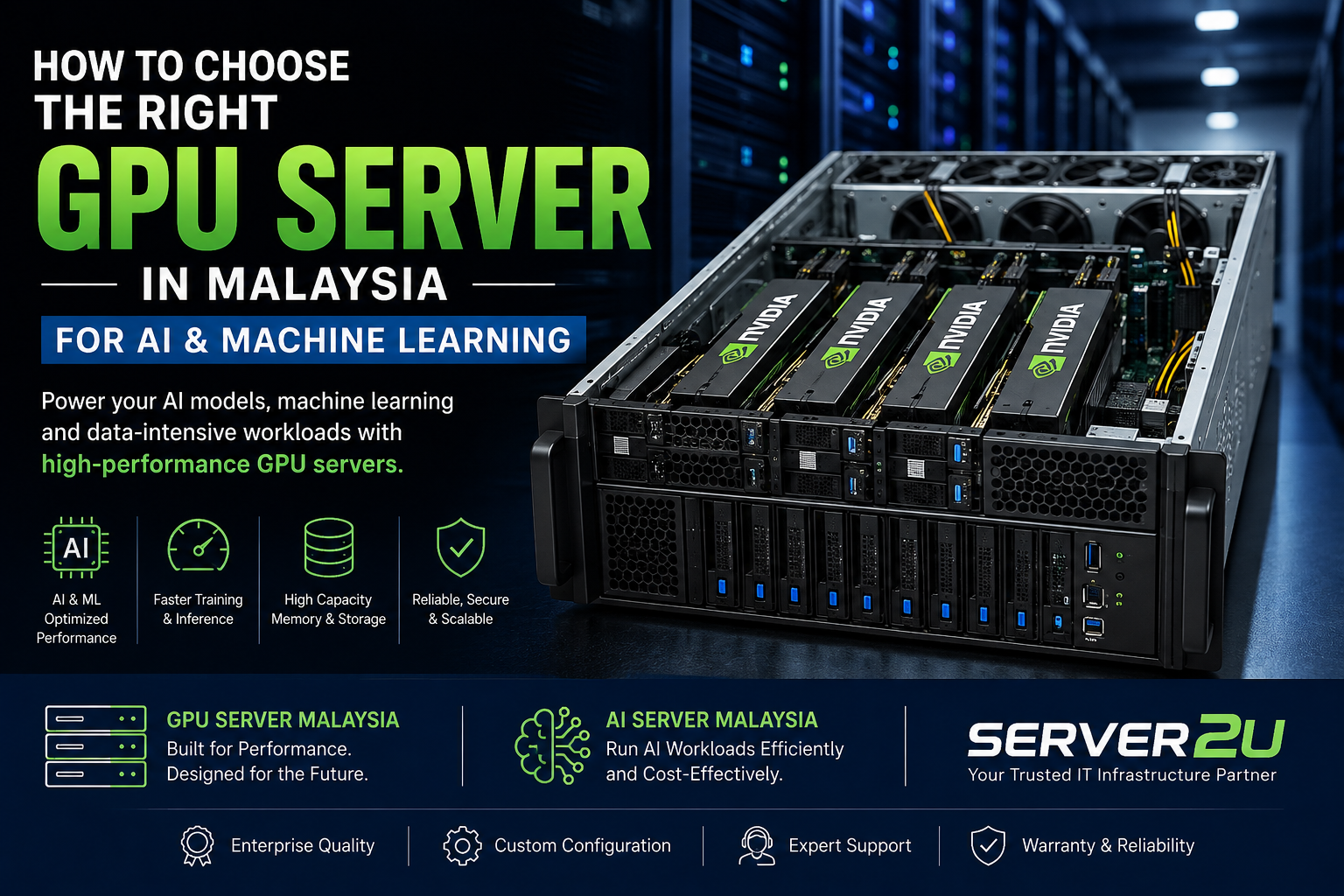
Artificial intelligence (AI) and machine learning (ML) are transforming how businesses analyse data, automate processes, develop applications, and make decisions. However, running AI workloads efficiently requires the right computing infrastructure. Standard servers may be suitable for general business applications, but demanding AI tasks often require powerful Graphics Processing Units (GPUs), sufficient memory, fast storage, and high-speed networking.

For businesses, developers, research institutions, and IT teams in Malaysia, choosing the right GPU Server Malaysia solution can improve processing performance, support larger AI workloads, and help control infrastructure costs.

Whether you are training machine learning models, developing generative AI applications, running large language models (LLMs), or performing data analytics, understanding your hardware requirements is essential before investing in an AI server.
In this guide, we explain how to choose the right GPU server for your business, which specifications matter most, and what to consider when comparing AI server solutions in Malaysia.
What Is a GPU Server and Why Is It Important for AI?
A GPU server is a computing system equipped with one or more Graphics Processing Units designed to handle highly parallel workloads. Unlike traditional CPUs, which are optimised for a wide range of general-purpose tasks, GPUs can perform many calculations simultaneously.
This makes them particularly useful for AI training, deep learning, scientific computing, and other data-intensive applications.
AI Model Training
Training AI models involves processing large amounts of data and performing repeated mathematical calculations. GPUs can accelerate many of these operations, reducing training time when the software and workload are appropriately optimised.
Deep Learning and Neural Networks
Deep learning systems use neural networks to identify patterns, process images, understand language, and make predictions. GPU acceleration can help businesses train and deploy these models more efficiently.
Generative AI and Large Language Models
Generative AI applications, including text generation, image generation, and AI assistants, can require substantial GPU memory and computing power. The right server configuration depends on the model size, precision, context length, and number of users.
Data Analytics and Scientific Computing
GPU servers can also support simulations, complex calculations, computer vision, and other workloads that benefit from parallel processing.
What Is an AI Server?
An AI server is a server configured to support artificial intelligence workloads. It may include powerful GPUs, high-performance CPUs, substantial RAM, fast NVMe storage, and high-speed networking.
Some AI servers are designed for model training, while others are optimised for inference, which involves using a trained model to generate predictions or responses.
When comparing AI Server Malaysia solutions, it is important to identify the workload the system must handle rather than selecting hardware based only on its GPU count.
GPU Server vs AI Server
A GPU server is defined primarily by its use of GPU acceleration. An AI server is defined by its intended workload and overall configuration.
| Feature | GPU Server | AI Server |
|---|---|---|
| Main purpose | GPU-accelerated computing | AI training, inference, and related workloads |
| Hardware | One or more GPUs, CPU, RAM, and storage | GPUs or other suitable accelerators, CPU, RAM, and storage |
| Common applications | Deep learning, rendering, scientific computing | Model training, generative AI, inference, computer vision |
| Key consideration | GPU performance and compatibility | End-to-end AI workload requirements |
The terms often overlap. Many AI servers are GPU servers, but not every GPU server is designed for the same AI workload.
How to Choose the Right GPU Server in Malaysia
Selecting a suitable GPU server requires evaluating your applications, performance requirements, budget, and future expansion plans.
1. Identify Your AI Workload
Start by defining what you intend to run on the server.
Different AI applications require different levels of computing power.
- Machine learning: Model development, experimentation, and training.
- Deep learning: Neural networks for image recognition, language processing, and prediction.
- Generative AI: Text, image, and other content-generation applications.
- LLM inference: Hosting AI models to answer questions or process business information.
- Computer vision: Analysing images, videos, and visual data.
- AI research: Running experiments and training specialised models.
For example, a business running smaller inference workloads may not need the same configuration as a research team training large models on extensive datasets.
Clearly defining your workload helps prevent overspending on unnecessary hardware.
2. Select the Right GPU
The GPU is often the most important component in an AI server.
When comparing GPUs, consider:
- GPU memory (VRAM): Determines how much model data and associated workload information can fit on the GPU.
- Compute performance: Influences the speed of supported AI operations.
- Memory bandwidth: Affects how quickly data can move between GPU memory and the processing units.
- Software compatibility: Ensure support for your AI frameworks, libraries, and applications.
- Power consumption: High-performance GPUs can significantly increase system power requirements.
For AI workloads, GPU memory can be just as important as raw computing performance. A GPU with insufficient memory may be unable to run a particular model efficiently, even if its processing capability is strong.
3. Check CPU and RAM Requirements
Although GPUs perform much of the parallel processing, CPUs and system memory remain important.
The CPU manages system operations, data preparation, application processes, and communication between hardware components. Insufficient CPU performance can limit overall system efficiency.
System RAM supports datasets, operating system processes, data preprocessing, and other applications running alongside AI workloads.
Consider your dataset sizes, number of concurrent processes, and the memory requirements of your AI software when choosing a configuration.
4. Choose Fast and Sufficient Storage
AI projects often involve large datasets, model files, checkpoints, logs, and application data.
NVMe SSDs can provide fast data access and reduce storage-related bottlenecks for suitable workloads.
Before purchasing, evaluate:
- Total storage capacity required.
- Read and write performance.
- Dataset size and frequency of access.
- Storage expansion options.
- Backup and recovery requirements.
For organisations working with large datasets, a combination of local high-performance storage and centralised storage may be appropriate.
5. Evaluate GPU Compatibility and Expansion
Not every server supports every GPU. Physical dimensions, PCIe slots, power delivery, cooling, firmware, and vendor compatibility all matter.
If you plan to use multiple GPUs, check whether the server supports the intended configuration.
Also consider whether the system provides enough room for future expansion. A scalable configuration can help your business accommodate increasing AI workloads without replacing the entire infrastructure.
6. Consider Cooling and Power Requirements
High-performance GPUs generate substantial heat and may require significant electrical power.
A suitable GPU server should provide cooling and power delivery appropriate for the installed components.
Before purchasing, check the following:
- Supported GPU power limits.
- Power supply capacity and redundancy.
- Airflow and cooling design.
- Rack space and physical dimensions.
- Electrical capacity at the installation location.
- Cooling and ventilation requirements.
These considerations are particularly important when deploying GPU servers in existing office server rooms or data centres.
7. Review Networking Requirements
Networking can become a bottleneck when servers process large datasets or multiple machines work together.
For a single-server deployment, evaluate the network speed required to access datasets and serve applications. For multi-GPU or distributed AI environments, assess whether high-speed networking is necessary for communication between systems.
Choose a network configuration that matches the actual workload instead of paying for unnecessary capacity.
8. Plan for Security and Data Protection
AI infrastructure may process sensitive company documents, customer information, financial records, or proprietary datasets.

Implement appropriate security controls, including:
- Restricted user and administrator access.
- Regular operating system and firmware updates.
- Network segmentation and firewall rules.
- Encryption where appropriate.
- Secure remote administration.
- Regular backups and recovery testing.
Businesses running private AI models should also evaluate how data is stored, processed, and accessed.
How Much Does a GPU Server Cost in Malaysia?
The cost of a GPU server in Malaysia varies according to its hardware specifications, GPU model, number of accelerators, memory capacity, storage, networking, and warranty requirements.
Entry-level GPU configurations may suit development and smaller AI projects, while high-performance multi-GPU systems can require a significantly larger investment.
Rather than selecting a server based only on its purchase price, calculate the total cost of ownership.
Factors That Affect GPU Server Pricing
GPU specifications: Higher-performance accelerators and larger GPU memory capacities can increase the overall cost.
Number of GPUs: Multi-GPU systems generally require more expensive hardware, power delivery, and cooling.
System memory and storage: Large RAM capacities and high-performance storage add to the investment.
Networking: Advanced network adapters and switches may be necessary for larger deployments.
Power and cooling: Electricity consumption and cooling infrastructure contribute to operating costs.
Maintenance and support: Warranty coverage, replacement parts, and technical support should be included in budget planning.
For businesses with changing workloads, comparing on-premises infrastructure with cloud GPU services may also help determine the most cost-effective approach.
GPU Server vs Cloud GPU: Which Is Better for Your Business?
Both dedicated GPU servers and cloud GPU services can support AI development. The best option depends on how frequently you use the hardware, your security requirements, and your budget.
| Consideration | Dedicated GPU Server | Cloud GPU |
|---|---|---|
| Initial investment | Usually higher | Often lower upfront cost |
| Payment model | Hardware purchase and operating expenses | Usage-based or subscription pricing |
| Hardware control | Greater control over physical infrastructure | Depends on the cloud provider |
| Scaling | Depends on available hardware and expansion options | Often easier to scale when capacity is available |
| Ongoing management | Hardware maintenance is required | Provider manages underlying physical infrastructure |
| Best suited for | Consistent workloads and dedicated infrastructure needs | Variable workloads, experimentation, and flexible capacity |
A dedicated GPU server may be suitable when workloads are consistent and the business needs greater control over its infrastructure. Cloud GPUs can be useful for short-term projects, experimentation, or workloads that require temporary increases in capacity.
Some organisations benefit from a hybrid approach, using dedicated hardware for regular workloads and cloud resources for occasional high-demand projects.
Common Mistakes to Avoid When Buying an AI Server
Avoid these common mistakes when selecting a GPU server in Malaysia.
Choosing a GPU Without Checking Memory Requirements
A GPU may offer strong computing performance but still lack sufficient memory for your model. Verify the memory requirements of your intended applications before purchasing.
Ignoring Server Compatibility
Check GPU support, power requirements, cooling, physical dimensions, and firmware compatibility with the server chassis.
Underestimating Electricity and Cooling Costs
High-performance systems can consume considerable power. Estimate operating costs before committing to a configuration.
Buying More Hardware Than Necessary
Not every AI project requires an expensive multi-GPU server. Match the hardware to the workload and allow for realistic future growth.
Overlooking Software Requirements
Confirm compatibility with your preferred AI frameworks, drivers, operating system, and deployment tools.
Neglecting Future Scalability
Consider memory expansion, additional storage, networking, and GPU upgrade options to avoid unnecessary replacement costs.
Finding the right hardware begins with understanding your workload and comparing compatible server configurations.
Server2U provides a platform for exploring server hardware and IT infrastructure solutions. Businesses looking for a GPU server or AI server should evaluate available product specifications, supported components, warranty terms, and technical support before making a purchasing decision.
When reviewing potential solutions, prepare a list of your AI applications, GPU memory requirements, expected number of users, storage needs, and budget. This information can help narrow down suitable configurations.
Visit the Server2U website to explore available server solutions:
Frequently Asked Questions (FAQs)
1. What is the best GPU server for AI and machine learning?
The best GPU server depends on the size of your AI models, GPU memory requirements, dataset size, processing needs, and budget. Smaller workloads may work well on a single-GPU system, while larger training projects may require multiple GPUs.
2. Where can I find a GPU server in Malaysia?
You can explore server hardware through suppliers such as Server2U. Compare available GPU configurations, hardware compatibility, pricing, warranty coverage, and support before selecting a system.
3. What is the difference between a GPU server and an AI server?
A GPU server uses graphics processing units to accelerate parallel computing. An AI server is configured specifically for artificial intelligence workloads and may use GPUs or other suitable accelerators. The two categories frequently overlap.
4. How much GPU memory do I need for machine learning?
The required GPU memory depends on the model architecture, dataset, batch size, numerical precision, and whether you are training or running inference. Larger models generally require more memory, although optimisation techniques can reduce requirements.
5. Can I run large language models on a GPU server?
Yes, provided the hardware has sufficient GPU memory, computing resources, and compatible software. Larger models or higher-throughput deployments may require multiple GPUs or model optimisation techniques.
6. Is a dedicated GPU server better than a cloud GPU?
A dedicated GPU server can be suitable for consistent workloads, long-term use, and organisations requiring control over their hardware. Cloud GPUs may be preferable for variable workloads, short-term projects, and flexible scaling. Compare total costs and operational requirements before deciding.
7. Can a GPU server support multiple AI projects?
Yes. A suitably configured server can support multiple workloads, subject to available GPU memory, computing capacity, system RAM, storage, and software configuration. Resource management is important when several users or projects share the same hardware.
8. What should I check before buying an AI server in Malaysia?
Check GPU memory, compute performance, CPU, system RAM, storage, GPU compatibility, power supply, cooling, networking, software support, warranty, and future expansion options.
9. Is a GPU server suitable for running AI applications locally?
Yes. A compatible GPU server can host AI models and applications locally, depending on hardware capacity and software requirements. Local deployment may provide greater control over data and infrastructure, but it also requires maintenance, security management, and suitable power and cooling.
Conclusion
Choosing the right GPU server in Malaysia requires more than selecting a powerful graphics card. Businesses must evaluate the complete system, including GPU memory, CPU performance, RAM, storage, networking, power, cooling, security, and software compatibility.
For machine learning, deep learning, generative AI, and large language model applications, the right infrastructure can help improve processing efficiency and support long-term growth.
Before investing, clearly define your workload, estimate your total cost of ownership, and compare suitable configurations. Whether you need a GPU server for AI research or an AI server for business applications, a well-planned hardware selection process can help you make a more informed decision.
Looking for the Right GPU Server in Malaysia?
Ready to build or upgrade your AI infrastructure? Explore server and IT hardware solutions at Server2U to identify a configuration that aligns with your performance requirements, workload, and budget.
Whether you are developing machine learning models, deploying generative AI applications, or building an AI-powered business solution, selecting compatible and scalable hardware is an important first step.
Visit https://server2u.com/ to explore server solutions for your business.