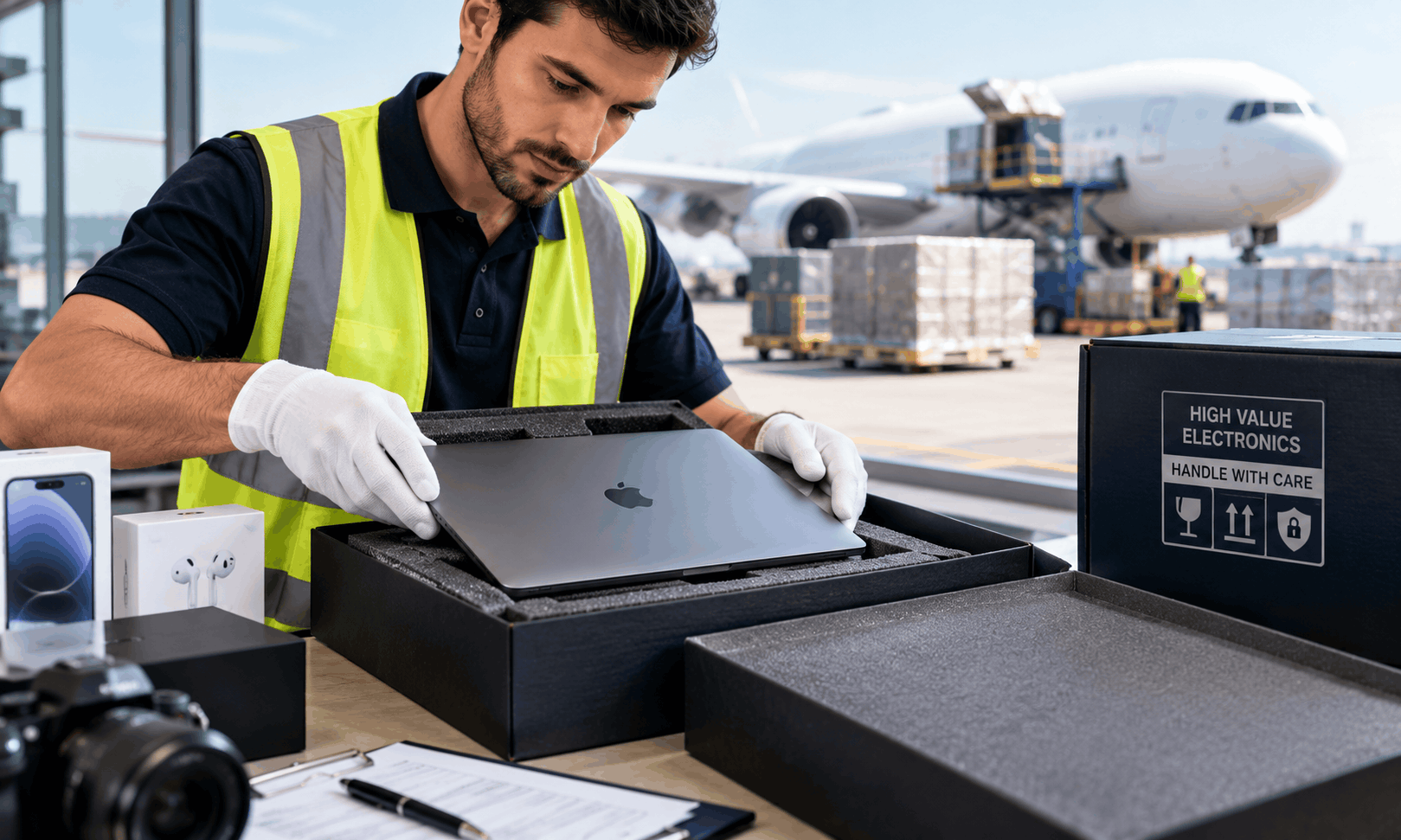
Summary: Laptops and servers are high-value assets that require careful handling throughout the shipping process. Businesses should use anti-static protection, impact-resistant packaging, appropriate cushioning, tamper-evident security measures, and shipment tracking. Server equipment may require specialized crating, palletization, or professional handling depending on its size and configuration. Accurate inventory records, discreet labeling, controlled delivery procedures, and suitable shipping insurance help reduce financial and operational risks.

Overview: This guide covers the complete process of shipping laptops and servers safely across the United States. It explains how to prepare electronic equipment, select the right packaging, reduce theft exposure, protect sensitive data, arrange appropriate transportation, and evaluate insurance coverage. It also addresses regional shipping considerations for Los Angeles, New York, Miami, Chicago, Dallas, Houston, Philadelphia, Atlanta, Las Vegas, San Francisco, Boston, Newark, and Northern New Jersey.

Key Takeaways:
- Use anti-static bags and properly fitted cushioning to protect laptops and electronic components.
- Choose reinforced boxes, double-boxing, or custom crating according to equipment value, size, and fragility.
- Secure server racks and heavy equipment against movement, tipping, and vibration.
- Reduce theft risks with discreet packaging, controlled access, tracking, and documented handovers.
- Verify insurance limits, exclusions, deductibles, and claim documentation before dispatch.
- Protect business data by following approved backup, encryption, and device-handling procedures.
- Coordinate packaging, transport, and delivery requirements with UNIVAL Logistics.
Quick Answer: To ship laptops and servers without damage or theft, use anti-static protection, impact-resistant packaging, suitable cushioning or custom crating, discreet labeling, shipment tracking, documented chain of custody, and insurance that covers the equipment’s actual value and applicable transit risks.
Why Shipping Laptops and Servers Requires Special Care
Laptops and servers are essential business assets, supporting everything from employee productivity and customer service to cloud infrastructure, data storage, and critical applications. However, their compact size, high resale value, sensitive components, and potential exposure to confidential information make them vulnerable during transportation.
A laptop can suffer internal damage even when its outer casing appears intact. A server may contain multiple drives, expansion cards, power supplies, and other components that are sensitive to shock and vibration. Inadequate packaging, rough handling, moisture, static electricity, and improper stacking can lead to expensive repairs or equipment failure.
Theft is another concern. Portable computers are easy to resell, while servers and networking equipment can be attractive targets for organized theft or unauthorized access. Businesses shipping multiple devices must also consider inventory discrepancies, delivery to the wrong recipient, and the loss of equipment containing business information.
High value electronics shipping therefore requires a structured process that protects the physical equipment, controls access during transit, and provides clear documentation from collection through delivery. UNIVAL Logistics can help businesses plan transportation requirements around the type of equipment, shipment value, destination, packaging needs, and delivery schedule.
Step 1: Prepare Laptops and Servers Before Shipping
Proper preparation reduces the risk of physical damage, data loss, and disputes if a shipment is delayed or arrives in poor condition.
Back Up Important Data
Before dispatching any laptop or server, confirm that important business data has been backed up according to your organization’s IT policies. Verify that backups are accessible and that recovery procedures are documented where necessary.
For servers, the preparation process may include checking backup integrity, documenting the current configuration, and coordinating with the IT team to confirm that the equipment can be powered down safely. Businesses should also consider dependencies involving storage arrays, networking devices, and connected systems before disconnecting hardware.
Do not assume that a shipment can be safely powered down without technical review. Some infrastructure requires an approved shutdown sequence to prevent data corruption or operational disruption.
Protect Confidential Information
Shipping equipment can create information-security risks in addition to physical risks. Organizations should determine whether devices will be transported with data intact or prepared for redeployment.
Where appropriate, use full-disk encryption, access controls, secure device-management procedures, and approved data-wiping methods. Remove unnecessary credentials, access tokens, and sensitive information from devices being sold, returned, or transferred to another organization.
Do not rely on a shipping label or tamper-evident seal as a substitute for data security. Physical transportation controls and cybersecurity measures address different risks and should work together.
Document Equipment Condition and Inventory
Record the details of every device before packaging. For individual laptops, document asset tags, serial numbers, model numbers, and relevant accessories. For servers, record chassis identifiers, configuration details, component counts, and any special handling instructions.
Photograph the equipment’s condition before packing, particularly if it is used, refurbished, expensive, or being returned under a service agreement. Keep a separate copy of the inventory and photographs in your business records.
This documentation can help identify missing items, verify delivery, support insurance claims where applicable, and resolve disputes about the condition of the equipment before shipment.
Step 2: Choose the Right Packaging for Laptops
Laptops need protection against impact, pressure, movement, and electrostatic discharge. Standard packaging designed for ordinary office supplies may not provide sufficient protection for expensive computers.
Use Anti-Static Protection
If a laptop or removable electronic component is exposed outside its original protective enclosure, use suitable anti-static packaging. Electronic components can be damaged by electrostatic discharge even when the damage is not immediately visible.
Place the device in an appropriate anti-static bag before adding cushioning. Do not assume that ordinary plastic bags provide electrostatic protection. Follow the equipment manufacturer’s packaging instructions where available.
Apply Impact-Resistant Cushioning
Wrap the protected laptop with cushioning material that absorbs shock and prevents movement inside the box. Use foam inserts or appropriately designed protective materials to distribute impact forces around the device.
Pay attention to corners and edges, which can be vulnerable during drops or compression. Avoid placing pressure directly on the screen, keyboard, hinges, or other delicate components.
Accessories such as power adapters and cables should be packed separately or secured in their own compartments. Loose accessories can move during transit and scratch or damage the computer.
Use Double-Boxing for Valuable Devices
Double-boxing can provide an additional layer of protection for high-value laptops. The inner box should hold the properly cushioned device, while the outer box provides further protection against handling impacts and external pressure.
Choose a strong outer carton that accommodates the inner package and additional cushioning without allowing the two boxes to move against one another. Seal all openings securely using appropriate packing tape.
For multiple laptops, use individual protective packaging and a shipping container designed to prevent devices from colliding. Do not stack unprotected laptops together or allow screens to press against hard surfaces.
Step 3: Package Servers and Heavy IT Equipment Safely
Servers require a different packaging strategy from ordinary laptops because their weight, dimensions, internal components, and mounting arrangements can create additional transportation risks.
Remove or Secure Vulnerable Components
Before moving a server, consult the manufacturer’s handling and transportation instructions. Depending on the model, it may be appropriate to remove certain components, secure internal parts, or transport specific assemblies separately.
Hard drives, expansion cards, power supplies, and other removable components should be handled according to the manufacturer’s guidance. Use suitable protective packaging for any component removed from the chassis, and label it clearly for inventory control.
Do not remove components simply because they appear easy to detach. Some equipment is designed to be transported in a particular configuration, and unnecessary disassembly can introduce additional risks.
Use Custom Foam and Reinforced Crating
For expensive rack servers, enterprise equipment, and unusually heavy systems, custom foam inserts or purpose-built shipping cases can help prevent movement and absorb shocks.
A reinforced crate may be appropriate when the equipment is oversized, exceptionally heavy, unusually fragile, or being shipped with additional rack hardware. The crate should be designed around the equipment’s dimensions, weight distribution, lifting points, and handling requirements.
For equipment that remains mounted in a server rack, the rack must be assessed as a complete load. Confirm that the rack is secured against movement and that its center of gravity, casters, mounting points, and lifting requirements are addressed. Do not assume that a rack designed for stationary use is automatically suitable for transport in its assembled configuration.
Protect Against Vibration and Moisture
Vibration can loosen connections or damage sensitive assemblies, particularly when equipment is not adequately restrained. Use appropriate shock-absorbing materials and secure the equipment so that it cannot shift inside its container.
Moisture protection is also important during long-distance transportation, warehouse storage, and transfers between vehicles. Use suitable moisture-resistant packaging where needed, and consider condensation risks when equipment moves between different temperature environments.
Allow equipment to acclimate according to the manufacturer’s instructions before powering it on after exposure to significant temperature changes. This helps reduce the risk associated with condensation forming on or inside electronic components.
Step 4: Prevent Theft During Transit
Preventing physical damage is only one part of secure electronics transportation. A reliable shipping plan should also reduce opportunities for unauthorized access, package diversion, and theft.
Use Discreet Outer Packaging
Avoid displaying unnecessary information about the contents on the exterior of the package. Prominent descriptions such as expensive computer models or server specifications can make valuable shipments more conspicuous.
Use accurate shipping documentation and any markings required by the carrier or applicable regulations, but avoid unnecessary promotional branding or product details on the outside of the package.
For multiple-device shipments, consider sealed cartons or crates with controlled access and clear evidence of tampering. Tamper-evident packaging cannot prevent every theft, but it can help reveal unauthorized opening.
Apply Tracking and Delivery Controls
Choose a transportation service that provides tracking appropriate to the shipment’s value and risk. Depending on the available service, useful controls may include milestone updates, delivery notifications, signature confirmation, and proof of delivery.
For sensitive equipment, establish who is authorized to receive the shipment before dispatch. Confirm the delivery address, recipient details, receiving hours, loading access, and any security procedures required at the destination.
Where available and suitable, use a delivery service requiring a signature from an authorized recipient. For particularly valuable shipments, arrange a controlled delivery process rather than leaving the equipment unattended in a lobby, loading area, or reception space.
Maintain a Documented Chain of Custody
A documented chain of custody records who handled or accepted the shipment at key stages. It is particularly useful for corporate IT relocations, equipment returns, data-center projects, and shipments involving several devices.
The process should include an itemized inventory, shipment reference, package count, handover records, and confirmation of receipt. For higher-risk shipments, the sender may also document seal numbers and package condition at handover and delivery.
Keep the records consistent across the shipping label, inventory, internal asset register, and proof of delivery. Any discrepancy should be reported promptly and investigated according to the organization’s security procedures.
Step 5: Select the Appropriate Shipping Service
The right service depends on the equipment’s value, size, urgency, destination, and handling requirements. The lowest quoted rate is not always the most cost-effective choice when the potential loss includes replacement equipment, operational downtime, data recovery, and delayed business activity.
Standard Parcel Shipping
Standard parcel services may suit individual laptops or smaller shipments that meet the carrier’s size, weight, packaging, and service requirements.
Before booking, confirm the carrier’s restrictions for electronic equipment, battery-powered devices, declared value, and any applicable insurance or liability limitations. Use packaging suitable for the expected handling conditions rather than relying solely on a carrier’s general packaging recommendations.
Specialized or Expedited Transportation
Specialized transportation may be appropriate for high-value devices, time-sensitive equipment, or deliveries that require additional handling coordination. Depending on the provider, options may include scheduled pickup, expedited transit, dedicated transportation, enhanced tracking, or controlled delivery arrangements.
These options can reduce certain handling or scheduling risks, but they do not automatically guarantee that equipment will not be damaged or stolen. Review the specific service terms and confirm which protections are actually included.

Freight Shipping for Servers and Rack Equipment
Freight transportation is often more suitable for large server systems, multiple pallets of IT equipment, or server racks that exceed parcel-service limits. Depending on the shipment, the plan may require palletization, crating, liftgate service, specialized loading equipment, or delivery appointments.
Confirm the shipment’s packed dimensions and total weight before booking. Provide accurate details about fragile components, handling orientation, stacking restrictions, and unloading requirements.
For data-center relocations, coordinate the collection and delivery schedule with the receiving technical team. Equipment arriving before the destination is ready can create storage, security, and operational problems.
Step 6: Arrange Appropriate Shipping Insurance
Insurance is an important part of protecting expensive technology during transportation, but the existence of a tracking number or carrier liability provision does not mean the full value of the equipment is insured.
Before shipping, establish the replacement value of each laptop, server, and related component. Review whether the proposed coverage applies to the equipment’s declared value, the actual cause of loss, the route, and the selected mode of transportation.
Understand the Difference Between Carrier Liability and Insurance
Carrier liability is governed by the applicable contract, service terms, and law. It may be limited by weight, declared value provisions, exclusions, or specific claim requirements.
Separate shipping insurance may offer broader protection, depending on its wording. However, coverage is never automatic: exclusions, deductibles, documentation requirements, valuation rules, and packaging conditions can affect whether a claim is paid.
For high value electronics shipping, businesses should confirm the coverage in writing before the carrier takes possession of the shipment. Verify that the policy or protection arrangement covers the specific type of equipment and transportation being used.
What to Check Before Purchasing Coverage
Review the following points as part of the shipping plan:
- Insured value: Confirm the valuation basis and the maximum amount payable for the shipment or each item.
- Covered events: Check whether loss, theft, accidental physical damage, and other relevant transit risks are covered.
- Exclusions: Review exclusions relating to inadequate packaging, unattended deliveries, unexplained shortages, internal mechanical or electrical failure, and pre-existing damage.
- Deductibles and limits: Confirm any deductible, per-item cap, shipment limit, or aggregate limit.
- Claims process: Understand the reporting deadline and required photographs, invoices, inventory records, carrier documentation, and proof of value.
- Transit and storage: Check whether coverage continues during transfers, temporary storage, or other stages of the journey, if applicable.
Businesses should never assume that a policy covers cyber incidents, data recovery, business interruption, or the loss of confidential information simply because it covers physical equipment. These risks may require separate arrangements.
Step 7: Estimate the Cost of Shipping Laptops and Servers
Shipping costs vary considerably depending on the shipment’s weight, dimensions, destination, packaging, urgency, declared value, insurance requirements, and delivery conditions. A single laptop may be shipped in a compact protective carton, while a server rack can require custom crating, freight handling, and specialized delivery equipment.
The following figures are illustrative planning estimates in US dollars, not verified live carrier quotes. Actual rates may differ by carrier, route, shipment size, service level, and current market conditions.
- Laptop packaging: Approximately $10–$40 per device for basic protective materials and suitable packaging, depending on the materials used and whether packaging is supplied by the sender or a service provider.
- Specialized laptop packaging: Approximately $25–$100+ per device when stronger protective inserts, custom packaging, or additional handling preparation is required.
- Server packaging and crating: Approximately $100–$600+ per shipment for certain protective packaging or crating requirements; oversized or complex systems can cost substantially more.
- Domestic laptop shipping: Approximately $20–$100+ per package for many domestic shipments, depending on distance, size, speed, and service level.
- Server and palletized freight: Approximately $150–$1,000+ per shipment for some domestic freight movements. Heavy racks, specialized handling, remote destinations, and expedited service may increase the total considerably.
- Additional security and delivery services: Approximately $15–$150+ per shipment as a preliminary allowance for selected optional services, where offered. The actual charge depends on the provider and service requested.
- Shipping insurance: Pricing varies according to declared value, route, equipment type, coverage terms, deductibles, and risk assessment. Obtain a specific quote instead of relying on a universal percentage.
Important Disclaimer
These cost prices are baseline estimates only and are subject to market fluctuations, supplier changes, and variable logistics fees. They are not guaranteed rates or binding quotations. Final costs may vary according to equipment specifications, packaging requirements, shipment dimensions, destination, delivery urgency, security arrangements, insurance terms, and carrier availability. Contact UNIVAL Logistics for the latest and most accurate prices and a shipping plan suited to your equipment and delivery requirements.
Shipping Laptops and Servers Across Major US Locations
Businesses shipping IT equipment across the United States should account for collection access, transit distance, handling arrangements, delivery schedules, and the security requirements of the receiving site. UNIVAL Logistics can help businesses assess these practical considerations when planning shipments of valuable electronics.
Los Angeles and San Francisco, California
Technology companies, corporate offices, service providers, and data centers may need to ship laptops and servers for office relocations, equipment upgrades, repairs, and deployments.
For shipments in Los Angeles and San Francisco, confirm building access, loading arrangements, delivery appointments, and the availability of a secure receiving area. If equipment is traveling through multiple handling points, ensure that the packaging can withstand the expected transportation conditions.
New York and Newark, New Jersey
Shipments in New York and Newark may involve office buildings, commercial receiving docks, data centers, and locations with strict delivery procedures.
Confirm whether the receiving facility requires advance scheduling, identification checks, security authorization, or specific unloading arrangements. For valuable equipment, ensure that the authorized recipient is available and that the delivery location is not left unattended.
Northern New Jersey
Northern New Jersey is an important area for businesses coordinating IT assets, warehouse operations, and data-center logistics. Server shipments may need to move between corporate locations, technical facilities, and storage sites.
For larger shipments, verify access for freight vehicles, the availability of loading equipment, and the suitability of the receiving area. Businesses moving rack-mounted systems should confirm the planned unloading and installation process before dispatch.
Chicago, Dallas, and Houston
Businesses in Chicago, Dallas, and Houston may ship laptops, servers, and networking equipment for branch-office installations, IT refresh projects, disaster-recovery planning, and infrastructure upgrades.
For longer domestic routes, use packaging designed to protect equipment during extended transportation and potential transfers. If the shipment includes sensitive electronics or heavy server hardware, confirm handling instructions and delivery arrangements before booking.
Miami and Atlanta
Companies shipping technology equipment through Miami and Atlanta should plan around their delivery deadlines, receiving procedures, and any additional handling required for fragile or high-value equipment.
Weather exposure, temperature changes, and moisture are considerations when shipments move through loading areas or temporary storage locations. Appropriate protective packaging and coordinated transfers can help reduce these risks.
Philadelphia, Boston, and Las Vegas
For deliveries in Philadelphia, Boston, and Las Vegas, confirm the final destination’s access requirements and whether the shipment must be delivered during a specific time window.
If the equipment supports an office opening, server migration, or planned installation, allow sufficient time for delivery inspection and technical checks. Build a reasonable contingency into the schedule rather than relying on the earliest possible delivery estimate.
Across all these locations, the correct shipping solution depends on the specific shipment rather than the city alone. UNIVAL Logistics can help businesses coordinate their transportation requirements and evaluate suitable packaging, tracking, and delivery arrangements.
Common Mistakes to Avoid When Shipping IT Equipment
Even well-organized businesses can expose valuable electronics to unnecessary risks if shipment preparation is rushed.
One common mistake is using an ordinary box without considering the equipment’s weight, fragility, or internal components. Packaging should be selected for the device and expected transit conditions, not simply because a carton is available.
Another mistake is allowing accessories, adapters, or loose parts to move inside the same container as a laptop or server. Separate compartments and proper cushioning help prevent scratches, impact damage, and pressure on sensitive components.
Businesses also sometimes underestimate the importance of inventory documentation. Without serial numbers, photographs, and itemized records, it can be difficult to establish what was shipped and whether the equipment arrived complete.
A further mistake is assuming that the carrier automatically insures the full replacement value. Always review liability terms and confirm any separate insurance arrangement before dispatch.
Finally, do not overlook the destination. An expensive server delivered to an unattended loading area or a laptop package left with an unauthorized recipient may be at risk even if the transportation itself was completed without incident. Secure delivery arrangements should be part of the plan from the beginning.
How UNIVAL Logistics Can Help with Secure Electronics Shipping
Shipping valuable technology requires coordination between packaging, transportation, security, and delivery. UNIVAL Logistics can help businesses evaluate these requirements and plan a suitable approach for domestic shipments of laptops, servers, and other IT equipment.
The process starts with understanding what is being shipped, how much it is worth, where it is going, and when it needs to arrive. This information helps determine whether a parcel service, freight solution, protective crating, or additional delivery controls may be appropriate.
For business shipments, preparation may also involve documenting the inventory, confirming the packed dimensions and weight, reviewing carrier requirements, and checking whether the selected insurance arrangement matches the shipment’s risks.
UNIVAL Logistics can support shipping coordination for businesses operating in Los Angeles, New York, Miami, Chicago, Dallas, Houston, Philadelphia, Atlanta, Las Vegas, San Francisco, Boston, Newark, and Northern New Jersey, subject to route availability and service requirements.
For shipments involving servers or sensitive IT infrastructure, businesses should communicate any special handling, loading, access, and receiving requirements before booking. Early coordination makes it easier to identify practical constraints and reduce avoidable delays.
Book now UNIVAL Logistics to discuss your laptop or server shipment, evaluate packaging and transportation requirements, and plan a secure delivery suited to your business needs.
Final Checklist Before Dispatch
Before handing over laptops or servers, verify that the shipment is ready for collection.
- Confirm that important data has been backed up and the equipment is prepared according to IT procedures.
- Check that each device is inventoried and its pre-shipment condition is documented.
- Use suitable anti-static protection, cushioning, reinforced packaging, or custom crating as required.
- Ensure that heavy equipment is secured and that handling instructions are clearly communicated.
- Verify the carrier’s service conditions, restrictions, tracking features, and delivery arrangements.
- Confirm insurance terms, coverage limits, exclusions, and claim documentation requirements.
- Validate the destination address and ensure an authorized recipient can accept the shipment.
- Retain shipping records, tracking information, photographs, and proof of delivery.
A consistent process helps reduce avoidable damage, improves accountability, and supports a more reliable shipping experience. With suitable preparation and the right logistics arrangements, businesses can move valuable IT assets more confidently between offices, warehouses, repair facilities, and data centers.
Frequently Asked Questions
1. What is the safest way to ship a laptop?
The safest approach is to protect the laptop with suitable anti-static packaging, use well-fitted cushioning, prevent movement inside a strong box, and select a carrier service appropriate for the device’s value and destination. For higher-value laptops, double-boxing, tracking, signature confirmation, and suitable shipping insurance may provide additional protection.
2. How should servers be packed for domestic shipping?
Servers should be packed according to the manufacturer’s transportation instructions. Depending on their configuration and weight, they may require reinforced cartons, custom foam inserts, protective cases, or crating. Heavy equipment must be restrained against movement, and rack-mounted systems need careful assessment of weight distribution, lifting points, and structural stability.
3. Does shipping insurance cover stolen laptops and servers?
Coverage depends on the policy or protection arrangement. Some insurance options cover theft during transit, but exclusions, security conditions, deductibles, documentation requirements, and limits may apply. Confirm in writing that the equipment and intended transportation are covered before dispatch. Carrier liability alone may not reimburse the full value of the shipment.
4. How can a business reduce the risk of electronics theft during shipping?
Use discreet outer packaging, secure seals where appropriate, tracking, documented handovers, and controlled delivery procedures. Verify the receiving address and authorized recipient before dispatch. For high-value shipments, consider additional security or specialized transportation services when available and appropriate.
5. Should laptops be shipped with their batteries installed?
It depends on the battery type, condition, equipment configuration, carrier rules, and transportation mode. Lithium batteries are subject to applicable packaging, marking, documentation, and transport requirements. Check the current requirements of the selected carrier and relevant regulations before shipping, particularly for damaged, defective, recalled, or spare batteries.
6. Can servers be shipped while mounted in a rack?
Sometimes, but it depends on the rack design, total weight, equipment configuration, structural stability, and transportation conditions. Some systems are better shipped after controlled disassembly and individual packing. Consult the equipment manufacturer and qualified technical personnel before moving a populated rack.
7. How much does it cost to ship laptops and servers within the USA?
Costs depend on package dimensions, weight, distance, service speed, packaging, declared value, insurance, and delivery requirements. Individual laptop shipments may cost considerably less than crated servers or palletized rack equipment. Request a shipment-specific quote from UNIVAL Logistics for current pricing based on your requirements.
8. What documentation should accompany a shipment of business computers?
Useful records include an itemized inventory, serial numbers, shipment references, packing details, photographs of the equipment’s condition, declared-value information where required, and delivery confirmation. Additional documents may be necessary depending on the carrier, shipment type, business arrangement, or applicable regulations.
9. Is expedited shipping always safer for high-value electronics?
No. Expedited shipping can reduce transit time, but it does not automatically prevent theft or physical damage. Packaging quality, handling procedures, security controls, carrier performance, and delivery arrangements remain important. Choose a service based on the shipment’s actual risks and required delivery timeline.
10. Can UNIVAL Logistics help with laptop and server shipments across major US cities?
UNIVAL Logistics can help businesses assess shipping requirements and coordinate suitable logistics arrangements for locations such as Los Angeles, New York, Miami, Chicago, Dallas, Houston, Philadelphia, Atlanta, Las Vegas, San Francisco, Boston, Newark, and Northern New Jersey, subject to service and route availability. Businesses should provide equipment details, shipment value, dimensions, destination, and delivery deadlines when requesting assistance.